- Customizable crosshair options available
- Works in many games
- Strong crosshair overlay utility
- Limited crosshair customization options
- Intrusive ads and popups
- Lag and stuttering during gameplay
Emotions
Archetypes
Hardware
What players like:
Common complaints:
Gameplay feedback:
Performance notes:
Recommendations:
Other player notes:
Similar games
Blend with other games


Review evidence
Why players say this
Review evidence
Why players say this
Steam review verdict
Offers a strong crosshair overlay that works in many games with some customization, but limited options, intrusive ads, and lag hold it back.
What players like
Strong crosshair overlay utility: Users frequently praise the crosshair overlay for improving visibility and aiming in games with poor or missing crosshairs. It is especially valued as a free alternative to other tools like Crosshair X.
Improves aiming and accuracy: Many reviewers report that the crosshair overlay helps them aim better and hit more shots in various FPS games. It also aids in specific techniques like no-scoping in CS2.
Simple and effective design: Users appreciate the app's simplicity, noting that it is easy to use and works well without unnecessary complexity. The minimalist interface contributes to its effectiveness.
Popular for specific games: It is particularly useful for games like Rust, CS2, and Valorant, enhancing the experience where built-in crosshairs are lacking or difficult to see. Many users mention these games specifically.
Reliable functionality and performance: The app consistently works as intended, fulfilling its function perfectly and working smoothly across different modes like fullscreen and windowed. Users find it hassle-free.
Common complaints
Limited crosshair customization options: Users report that the app provides very few crosshair choices, with only a handful of shapes, colors, and sizes available. This lack of variety is often compared unfavorably to Crosshair X, which offers more extensive customization.
Intrusive ads and popups: The app displays numerous advertisements upon launch, during use, and upon closing, often opening multiple windows or tabs. These ads are described as excessive, annoying, and detrimental to the user experience.
Aggressive upselling of paid version: The app constantly prompts users to purchase the paid version, even after they have already bought it, through popups and redirects to the Steam store. This is seen as annoying and intrusive.
Crosshair disappears or turns off: The crosshair frequently vanishes during gameplay, when alt-tabbing, or even when watching movies, requiring users to restart the app or game. This inconsistency makes the tool unreliable.
Free version very limited: The free version of the app offers barely any options and is considered terrible by many users. It is often seen as a bait to purchase the paid version.
Gameplay and performance
Customizable crosshair options: Users can extensively customize the crosshair, including shape, color, size, and presets, often using sliders or dedicated settings. Options include multiple shapes, neon colors, and the ability to adjust transparency and even create custom shapes like a pink penis.
Works in many games: The tool is compatible with a wide range of popular games such as Rust, Fortnite, CS2, Valorant, Minecraft, GTA V, and DayZ, as well as survival and horror games lacking a center indicator. It operates as an overlay independent of individual game files.
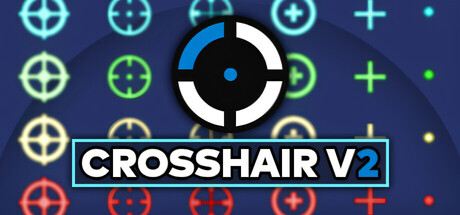
Crosshair overlay tool: The software is primarily a crosshair overlay tool designed to display a customizable crosshair on top of any game running in windowed or borderless mode. It is used across a wide variety of titles, especially shooters and games lacking a built-in crosshair.
Used for aiming assistance: The crosshair overlay helps players aim more accurately in FPS and shooter games, including for no-scoping and hip-fire. It provides a consistent reference point that can improve shooting precision.
Crosshair presets and pro reticles: The software includes presets inspired by reticles used by professional competitive players, as well as default presets for quick setup. Users can choose from multiple crosshair designs and save their settings.
Lag and stuttering during gameplay: The software introduces lag and stuttering in various games, including Apex Legends and DayZ, often linked to the overlay feature. This results in a less smooth gaming experience.
No performance impact for some: A number of users experience no significant FPS drop or performance degradation, with some noting stable operation and smooth background running. This suggests variability in system configurations.
High RAM and CPU usage: Users note excessive memory and processor consumption, with some reporting over 3 GB of RAM used and constant CPU load. This can degrade overall system performance.
Significant FPS drops in games: Multiple users report substantial FPS decreases, with declines of 30% to 70% in titles like CS2 and Rust. The drops are severe enough to make gameplay choppy and less enjoyable.
Ads cause performance issues: The software's advertising system is a major culprit, consuming large amounts of RAM and CPU and leading to FPS drops, crashes, and freezes. Ads often open numerous tabs or windows, overwhelming system resources.
Recommendations
Works for games without crosshairs: It is useful for games that lack a crosshair or have disappearing crosshairs. This includes survival and horror games where a center indicator is missing.
Recommended for competitive FPS players: Competitive FPS players find it helpful for improving aim and gaining an edge. It is particularly recommended for games like Fortnite, CS, Apex, and Rust.
Some prefer paid Crosshair X: A number of users suggest buying Crosshair X for better features and quality. They believe it is worth the investment over the free version.
Not recommended for some users: A few users do not recommend this app, citing various reasons such as ban risks and better alternatives. Some even consider it cheat software.
Good for beginners and minimalists: It is praised for being simple and easy to use, making it ideal for beginners. Players who value minimalism and stability appreciate its straightforward approach.
Buying context
Community fair range: $0.99 - $1.99.
Player profiles
Free Trialist Newcomer: Casual, low-risk experimentation in games like Rust; may keep the free tool or upgrade later. Motivation: To test whether a custom crosshair improves their aim without paying for Crosshair X. Stance: buy.
No-Native-Crosshair PVE Player: Uses a simple dot or basic crosshair for PvE, survival, and shooting games rather than competitive multiplayer. Motivation: To add a usable aiming reticle in single-player, indie, or survival games that lack one. Stance: buy.
Competitive FPS Improver: Uses crosshair overlays during competitive FPS play, while checking anti-cheat rules and seeking presets. Motivation: To gain a consistent aiming advantage and use pro-style reticles in competitive shooters. Stance: buy.
Platform notes
Across the provided Windows VRAM cohorts, performance is reported as consistently poor, with lag, FPS drops, crashes, memory exhaustion, and slow startup; no cohort shows predominantly smooth operation.
Windows <8GB VRAM: negative. Feedback includes lag and FPS being cut in half in CS2, with performance problems dominating over one mention of a working overlay.
Windows 8-11GB VRAM: negative. The available report describes ad spam causing RAM exhaustion and crashes or freezes, indicating instability.
Windows 12-15GB VRAM: negative. The available report describes the app as laggy bloatware with poor startup time, indicating performance problems.
Steam Deck: Audit of filtered user reviews for Steam Deck experience reveals mixed friction. The most concrete issue is a startup menu that requires F2 and does not recognize air mouse or virtual keyboard input, creating a hard input barrier on Deck unless an external keyboard is used. A separate review warns of exclusive fullscreen problems and possible anti-cheat incompatibility, adding compatibility risk. Positive feedback notes lightweight usability and aim assist, but these do not mitigate the technical barriers. One review was unintelligible and excluded. The evidence does not confirm frequent crashes or confirmed anti-cheat errors, so the friction is classified as Tinkering Required rather than fully Broken.
Other review notes
Free alternative to Crosshair X: Many users describe this as a free alternative or simpler version of Crosshair X, often noting it lacks some features of the paid version but remains a good no-cost option. Cluster 4 and Cluster 1 specifically highlight the same functionality with fewer customization options.
Completely free with optional paid version: Reviewers consistently mention that the core software is free to use, with an optional paid version that adds extra features such as additional crosshairs. Clusters 2, 3, and 5 together show that the free version is functional but the paid upgrade offers more customization.
Useful for games without crosshairs: Users frequently note that the tool is helpful for games that lack a built-in crosshair or have a poorly visible one, such as Rust. Clusters 10, 11, 12, 16, and 17 show broad compatibility and specific use cases for titles like Rust, CS2, Valorant, and Garry's Mod.
Simple crosshair tool, minimal features: Some users describe it as a straightforward crosshair utility without extra features, suitable for those who just need a basic overlay. Clusters 7, 9, and 14 highlight its simplicity and compare it to other free tools like Simple Sight.
Basic crosshair customization offered: The software provides preset crosshairs and multiple customization options, though some users note it is less feature-rich than Crosshair X. Clusters 5 and 6 indicate that free users get a limited selection while the paid version offers more distinctive crosshairs.