- Rich pose library and workshop
- Excellent VRM model support
- High ease of use and UI
- Missing proper timeline and keyframes
- Blendshape saving and control issues
- Incomplete bone and IK control
Emotions
Archetypes
What players like:
Common complaints:
Gameplay feedback:
Performance notes:
Recommendations:
Other player notes:
- -
No data available
Similar games
Blend with other games




Review evidence
Why players say this
Review evidence
Why players say this
Steam review verdict
Offers a rich pose library, workshop, and excellent VRM support with easy UI, but lacks proper timeline and keyframes, has blendshape saving issues, and incomplete bone/IK control.
What players like
Rich pose library and workshop: Users praise the wide selection of default poses and the ability to download community-made poses from the workshop, which simplifies posing and animation for VRM models.
Excellent VRM model support: The software is highly valued for its seamless support of VRM and VRMA models, allowing users to import custom models from VRoid Hub or local files and animate them with ease.
Great for YouTube thumbnails: The software is frequently used to create compelling thumbnails and art references for VTuber YouTube channels, making it a valuable asset for content creators.
Better than VRoid or Blender: Compared to vanilla VRoid Studio or Blender, this tool offers a more convenient and feature-rich experience for posing and animating VRM models.
High ease of use and UI: Reviewers highlight the ease of use and intuitive interface, making the posing process straightforward and accessible even for beginners.
Common complaints
Missing proper timeline and keyframes: Users consistently report that the animation timeline lacks proper keyframes, making it impossible to edit individual frames or create loops efficiently.
Blendshape saving and control issues: The blendshape system is limited: users cannot save custom expressions, automatic blinking causes errors, and extreme expressions are impossible to create.
Incomplete bone and IK control: Skeletal manipulation is restrictive: some bones cannot be moved freely, tail bones are missing, and IK control is limited to hands, feet, and head.
Limited animation format support: Animation format support is limited to vpdloop and vrma; users want BVH, FBX, and VMD import/export for better workflow integration.
Buggy IK system with snapping issues: IK system is buggy: it often twitches, has snapping issues, lacks rotation IK, and feet snap improperly when moving, hindering posing.
Gameplay and performance
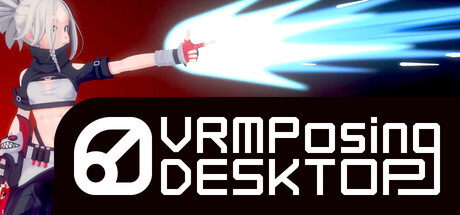
VRM posing and animation: Users consistently describe the software as a VRM model posing and animation tool.
Image creation and references: The software is widely used for creating reference images, thumbnails, comics, and promotional pictures.
VMC protocol support: Supports VMC protocol for real-time integration with external applications like Unity.
Workshop for poses: Users appreciate the workshop for sharing and downloading poses.
Manual posing controls: Users highlight features for manual posing including hand, finger, and bone manipulation with IK/FK support.
VRM Posing Desktop consistently crashes: While other Unity applications run stably, the VRM Posing Desktop mode consistently crashes, indicating a specific bug in that feature rather than a general engine issue.
Startup crash on Windows 11 AMD: The game crashes on startup for users with Windows 11 and AMD GPUs, suggesting a compatibility problem with this specific hardware and software combination.
Initial crashes fixed by updates: Frequent crashes occurred initially, but updates have resolved these issues, showing that developer patches have been effective in fixing stability problems.
Severe lag when running: Players report that the game experiences severe system lag during gameplay, particularly when running. This indicates performance issues that need optimization.
Recommendations
Worth the purchase price: Multiple reviewers state that the software is worth its price and recommend purchasing it without hesitation. It is described as a good investment and worth every penny.
Recommended for artists: Numerous reviewers give strong recommendations for artists, illustrators, streamers, and thumbnail creators. The software is said to help bring characters to life with natural poses and expressions.
Easy VRM posing tool: Reviewers frequently highlight the software's ease of use for animating and posing VRM models from programs like Vroid Studio. It is praised as a convenient tool for taking screenshots or creating references.
Great for VRM rendering: Reviewers recommend this software for rendering VRM models and for creating illustrations or game assets. It is considered a must-have for VRM model users and photography.
Buy for Vroid users: Users of Vroid Studio are repeatedly told to buy this software. One reviewer even recommends it as part of a free illustration package with other tools.
Buying context
Community fair range: $12.00 - $25.00.
Session length: 5.0h.
Player profiles
Beginner VTuber: Simple posing and basic animations for VTubing, learning the software through a gentle learning curve. Motivation: Ease of getting started with VTubing and model posing without prior experience. Stance: buy.
Veteran VRM Artist: Advanced posing, Unity integration for custom VRMA workflows, and creating polished, high-quality animations for professional VTubing projects. Motivation: Powerful, stable tools for complex animations and deep control over VRM models, enabling advanced creative output. Stance: buy.